
Eniscope 8 Hybrid
Best.Energy describes an eight-channel system for monitoring three-phase circuits, with minute-by-minute readings and cloud analytics. Monitoring can cover the building and selected equipment.
ECO Energy / Energy Monitoring
Understand your building, equipment and opportunities for improvement.
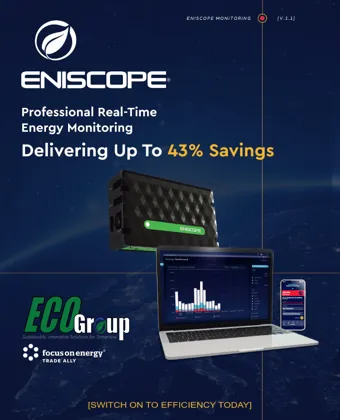
Explore the system and its applications. Manufacturer savings examples are illustrative; project outcomes vary.
View brochure PDF ↗Looking for product specifications or brochures? View all product downloads →
A utility bill shows the total. Eniscope adds detail about when a building and its equipment use electricity, helping operators separate essential demand from avoidable waste.
Best.Energy describes an eight-channel system for monitoring three-phase circuits, with minute-by-minute readings and cloud analytics. Monitoring can cover the building and selected equipment.
Dashboards, historical trends, alerts and optional environmental sensors help connect energy use with operating conditions. The equipment and sensing included depend on the system selected for your building.
Lasting energy management combines measurement, software and people who act on the findings. ECO Energy's guided approach helps translate patterns into operational decisions.
Compare opening hours with HVAC, refrigeration, lighting and other equipment schedules. Investigate overnight loads and systems operating when a space is unoccupied.
Review trends after changes, investigate drift and revisit settings as building use changes. Monitoring supports a continuing improvement process rather than a one-time dashboard review.
Eniscope 8 Hybrid combines an energy monitor, data aggregator, IoT hub and internet gateway. Best.Energy specifies eight three-phase monitoring channels per unit and minute-by-minute readings. Its cloud platform provides building-level and selected asset-level analysis, historical trends, alarms and notifications.
If a building closes at 8 p.m. but demand stays high, compare monitored circuits with the operating schedule. That helps staff identify which equipment deserves investigation. A reading identifies a pattern; the team must determine its cause and appropriate action.
Begin with equipment running outside required hours, conflicting schedules and settings that no longer match building use. Compare the findings with occupancy and operational requirements before making changes.
Best.Energy's approach combines monitoring hardware, cloud software and an energy-management service. Compatible controls can implement schedules or rules; people still need to interpret the findings and decide which changes suit the operation.
Review readings after an adjustment and consider changes in hours, weather or activity. Continue checking for drift rather than assuming an initial improvement will last. Savings depend on the building and measures implemented.
Review cooking-related loads, ventilation, refrigeration and air conditioning against trading hours. Temperature information and equipment alerts can add operating context.
Refrigeration and environmental monitoring can help teams investigate waste and changing operating conditions across individual stores.
Compare energy demand with occupancy and facility schedules, including buildings used at different times.
Explore significant equipment loads and compare patterns across buildings. Each site's equipment, hours and operating needs should shape the assessment.
Explore industry applications: Restaurants · Food retail · Education · Manufacturing · Hotels
Bring utility bills, operating hours and a list of major equipment to the initial review. That gives the discussion a practical starting point.
A monitoring design starts with your goals and the building's electrical distribution. Useful information includes:
Qualified personnel handle the electrical survey and any work requiring panel access. The resulting design can specify monitoring points, circuit assignments, sensor locations and the equipment required. Monitoring-only designs do not automatically include controls, installation support or ongoing analysis; those are separate scope items.